В этой версии мы доработали возможности рабочих процессов для их автоматизации, связанной с обработкой моделей расширенной записи.
Ускорили обработку конфигурационных пакетов, чтобы точнее отслеживать выполнение операций при работе с конфигурационными пакетами.
Мы также добавили новый механизм ретроспективного расчета паузы при создании индикации, время отсчета которой находится в прошлом, и улучшили обработку зависших задач в планировщике, чтобы повысить точность метрик и сократить время восстановления выполнения процессов. Помимо этого мы исправили ряд ошибок, влияющих на корректность миграции данных, работу скриптов и стабильность системы.
Новая функциональность
Асинхронная загрузка конфигурационных пакетов
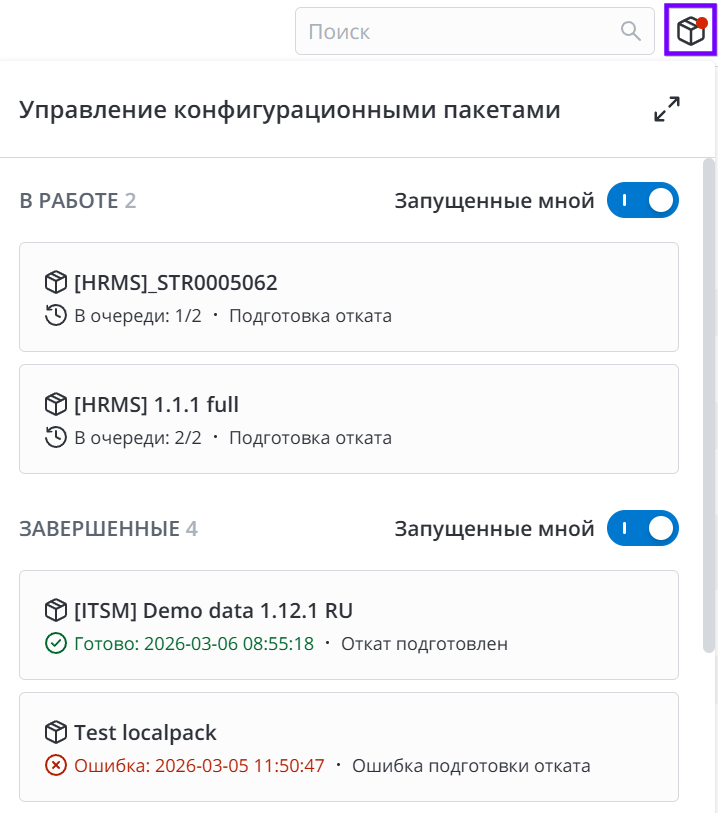
Внедрен асинхронный режим обработки импортированных пакетов и оптимизирован процесс их выполнения. Данная функциональность направлена на обеспечение стабильной работы с конфигурационными пакетами и повышение удобства импорта больших пакетов (более 100 000 записей VCS) на экземпляр.
В системном свойстве platform.vcs.sop_process_quantity вы можете указать количество конфигурационных пакетов, которые могут быть в обработке одновременно.
В новом виджете Управление конфигурационными пакетами отображается информация о конфигурационных пакетах, обработка которых была запущена на экземпляре. В виджете доступна информация об инициаторе и статусе обработки со ссылками на записи пакетов.
Читайте подробнее в документации →
Важные улучшения
Расчет ретроспективного времени паузы при создании индикации
Теперь при расчете суммарного времени приостановки индикации также учитываются потенциальные паузы обработки, случившиеся в прошлом. Для этого мы добавили на форму индикаторов поле Учитывать ретроспективную паузу.
Если свойство Учитывать ретроспективную паузу активно:
-
При запуске индикации система проверяет историю записи и, если находит там состояния записи, соответствующие условию паузы, то суммирует их длительность и учитывает в соответствующих параметрах индикации затраченного рабочего времени, а также времени превышения и времени паузы.
-
На форме индикации в поле Время паузы отображается значение ретроспективной паузы на момент создания индикации, после создания – сумма ретроспективной и накопленной пауз, если для индикатора установлен флажок Учитывать ретроспективную паузу, а в поле Время превышения индикации выбрано Определяется длительностью.
Читайте подробнее в документации →