Задача: На виджет “Add relation task - asset” или “Добавить активы” добавить возможность поиска по ключевым словам, при нажатии на иконку лупы, как это реализовано на обычной таблице.
Привет!
Для реализации такой кастомизации виджета добавления активов в задачи ITAM потребуется создать собственную копию виджета и реализовать на нем требуемое изменение с добавлением элемента управления для ввода ключевых слов и подстановки их в запросы по таблице активов (itam_asset) как дополнительного условия вида assetSr.addEncodedQuery('keywordsAREСерверное оборудование');
Пример работы с encoded query для серверного скрипта
const assetSr = new SimpleRecord('itam_asset');
assetSr.addEncodedQuery('keywordsAREСерверное оборудование');
assetSr.query();
ss.info(assetSr.getRowCount());
Пример работы с encoded query для REST TABLE API (используется в функции fetchData() клиентского скрипта виджета):
/rest/v1/table/itam_asset?sysparm_query=keywordsСерверное оборудование
Проверил - работает.
Примите во внимание, что “в коробке” для полнотекстового поиска индексируются только два поля таблицы itam_asset: Номенклатура и Инвентарный номер, возможно, Вам потребуется активировать полнотекстовый поиск и для других полей в соответствии с Вашим пользовательским сценарием. После активации полнотекстового поиска на поле необходимо произвести переиндексацию таблицы (только один раз, после каждой активации полнотекстового поиска на поле, можно пачкой): просто запустите во внерабочее время серверный скрипт /record/sys_script/172010221518000015
Если необходимо, чтобы полнотекстовый поиск в виджете добавления активов в задачи ITAM появился “в коробке”, рекомендую завести PIR.
С уважением, Никита
1 лайк
Имеется ли уже готовая реализация элемента для ввода и поиска значений в других виджетах “из коробки”?
В ITAM 1.2.5 есть страница портала самообслуживания для отображения списка активов текущего пользователя, там есть поиск по ключевым словам, реализованный коробочным виджетом ListItem с использованием симпл-тэга listitems < следите за этой страничкой, там от версии к версии платформы появляется все больше и больше новых симпл-тэгов. Команда ITAM внедряет новые, по мере их выпуска, в соответствии с приоритетом и доступностью.
Список активов текущего пользователя на портале самообслуживания (встроенный коробочный поиск по ключевым словам) находится здесь: /portal/my_itam_assets
(должен быть установлен ITAM версии не ниже 1.2.5)
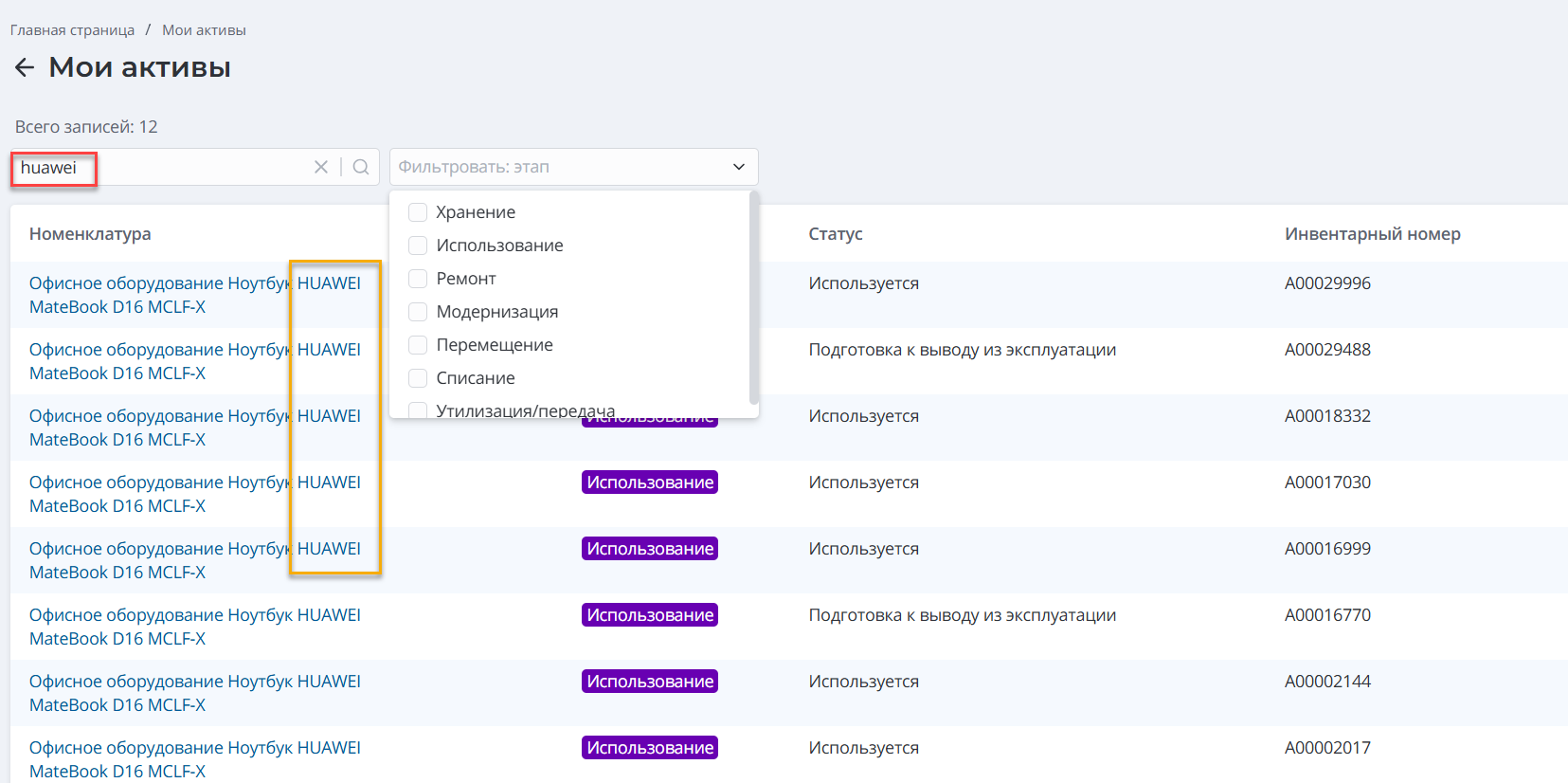
С уважением, Никита
Привет! Посмотрел поподробнее на виджет добавления активов в задачи ITAM - там
поиск по ключевым словам уже есть. В фильтре нужно выбрать “Ключевые слова” содержат…
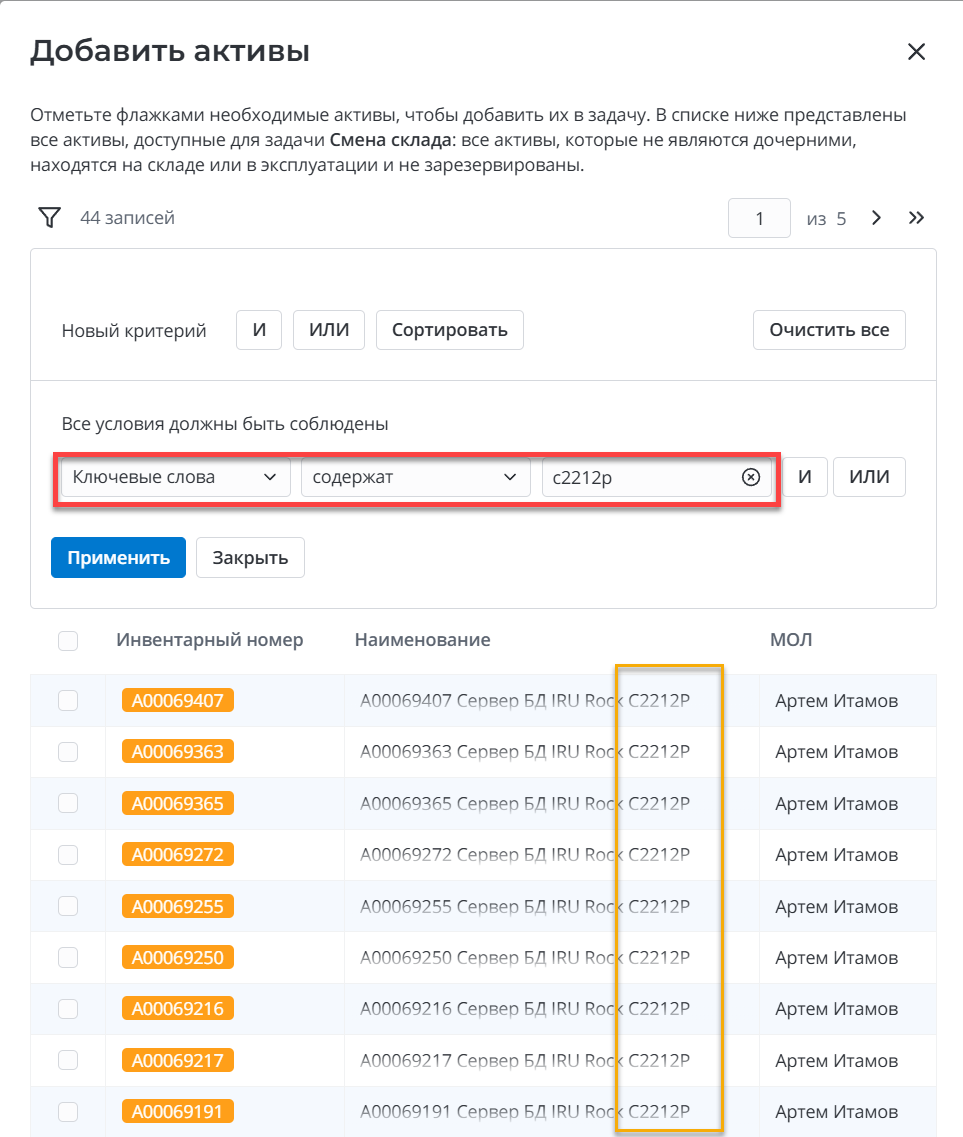
Примите во внимание, что “в коробке” для полнотекстового поиска индексируются только два поля таблицы itam_asset: Номенклатура и Инвентарный номер, возможно, Вам потребуется активировать полнотекстовый поиск и для других полей в соответствии с Вашим пользовательским сценарием.
А вот “быстрый поиск” (когда нажимаем лупу под колонкой на традиционном листе в агентском интерфейсе)
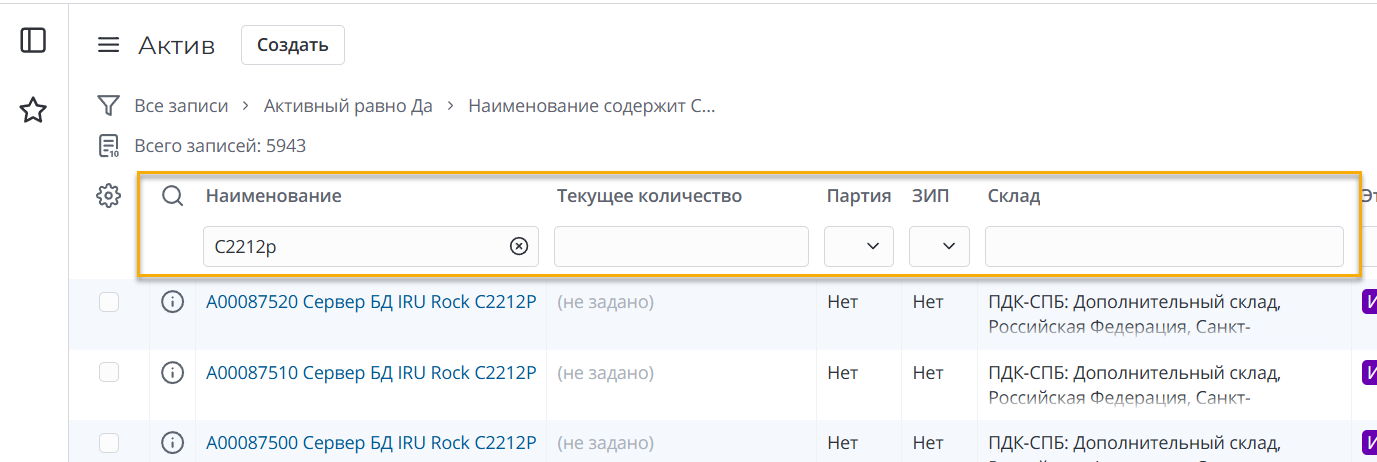
в виджете добавления активов в задачи ITAM и виджете добавления строк потребностей в заказ на закупку будем крутить в среднесрочной перспективе, когда выйдет новый пакет симпл-тэгов платформы, чтобы все сделать на базе платформенных инструментов.
С уважением, Никита