Часто после обновления версии платформы или бизнес - приложения возникают коллизии связанные с доработкой коробочных решений. Инструменты JSON Beautifier и JSON Compare значительно упрощают процесс решения данных конфликтов.
Для того, чтобы начать использовать инструменты вам необходимо:
1 . Скачать sop - файл [DevTools] Public v1.sop (39,1 КБ)
2. Загрузить его на инстанс
3. Выполнить импорт
DevTools разработаны командой бизнес - решений SimpleOne в качестве вспомогательного инструмента и не является самостоятельным продуктом, а соответственно не имеет поддержки.
Форматтер JSON-а ооочень упрощает работу! Не приходится копировать в другой источник, чтобы увидеть отформатированную версию!
Возможно не в рамках данного набора инструментов, но хотелось бы “разворачивать” колонки, которые содержат большое количество текста и которые нужно редактировать. Например, Schema Option Values на экземплярах виджетов
На версии 1.19 не работает UI-действие экспорта локального пакета. Page not found. Видимо начиная с 20й версии используется другой код экспорта и другой url. Откат кода UI-действия и старого url решает проблему.
Спасибо, за полезный инструмент. Подскажите, пожалуйста, а в дорожной карте в ближнесрочной перспективе есть фича FT0000246. Это этот же инструмент будет вшит в коробку? Или же этот инструмент не связан с фичей FT0000246?
В Локальном пакете с функционалом содержится ссылка на статью(https://home.simpleone.ru/record/article/170764758511791897), но доступа к этой статье нет. Есть ли где-нибудь статья с описанием функционала в общем доступе?
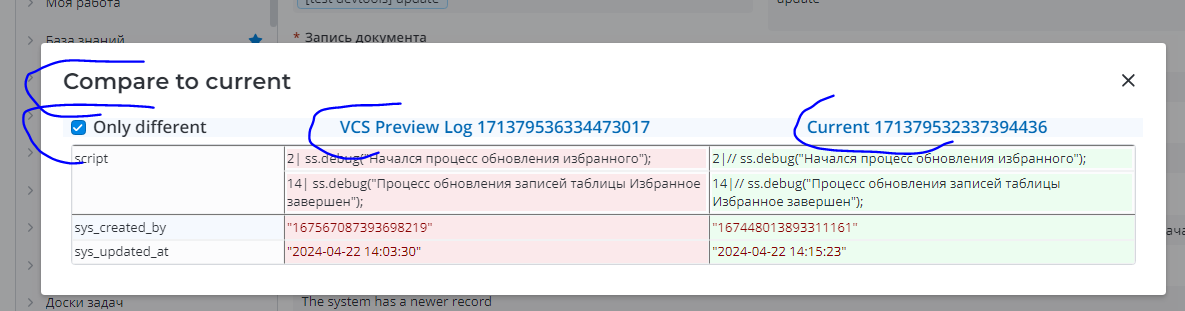
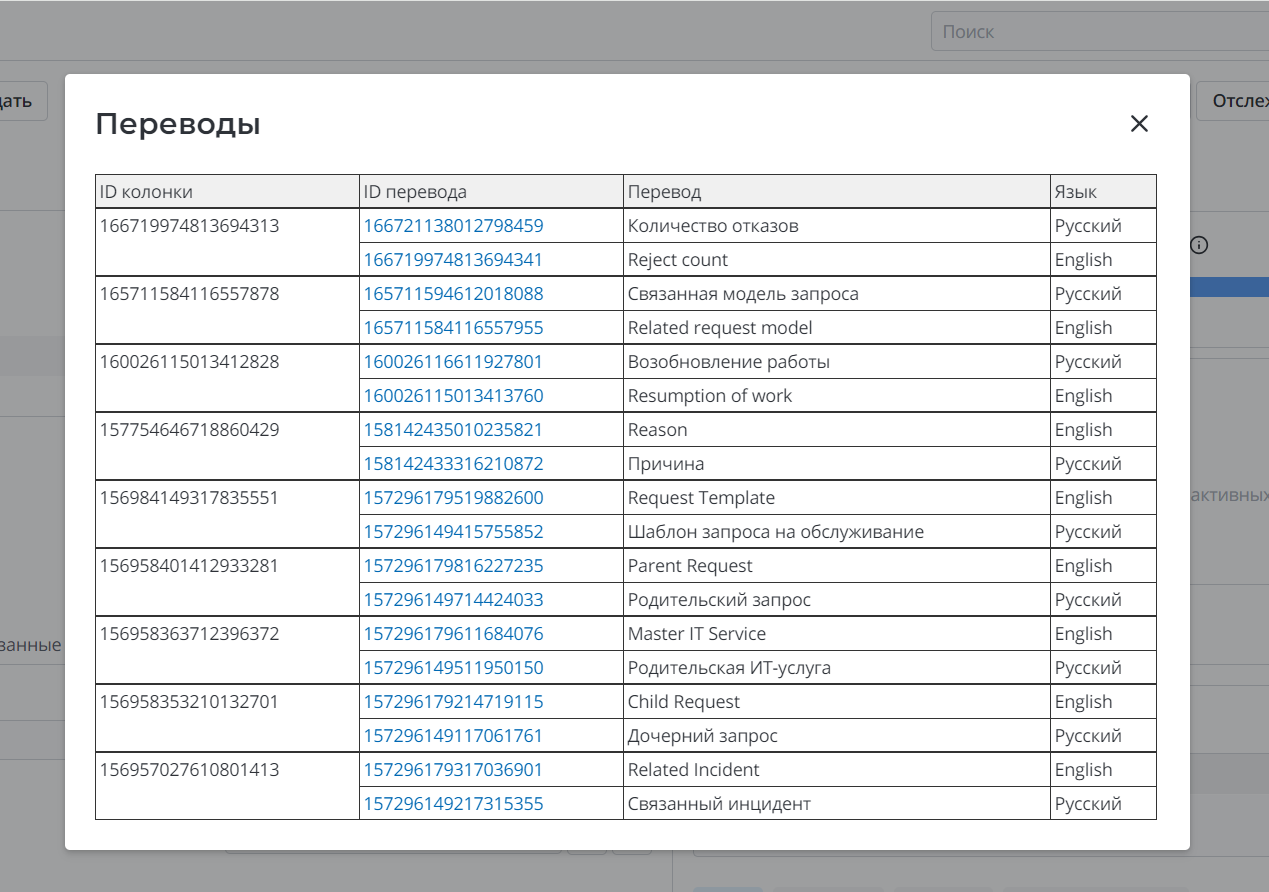
В инструмент явно добавлено не только сравнение было/стало, а, например, еще перевод колонок:
Добрый день, данная ссылка доступна только вендору, она внутри содержит статью в которой перечислены все возможности DevTools. Продублирую данный перечень сюда (некоторые из них доступны только вендору):
Добавлена проверка наличия в пакете неактивных версий конфигурации (JSON Copy contains “active”: false AND Is current is Yes)
В таблицу при проверке опций добавлен заголовок колонки, чтобы проще было проверять склонение опций.
В проверку опций добавлены опции sys_re_choice
Добавлена детализация в сравнение кода с dev. Если код не совпадает проверка возвращает одно из сообщений: “версия есть только в пакете или только на git”, “необходима ручная проверка”, “версии не совпадают”.
Export as a new application - перенесена во вкладку DevTools
Добавлена кнопка - Check current records - проверяет актуальные записи (выводит записи без версии с is current = yes)
Добавлена кнопка - Сheck app for formlist - проверяет, что sys_ui_list и sys_ui_form из пакета не создаются для таблиц другого приложения
Добавлена кнопка - Сheck usage image - для поиска изображений, которые не используются в записях.
Добавлена кнопка - Checking for changes - для сравнения записей в retrieved pack с текущими.
Добавлена кнопка - Clear action insert and delete - очистки локального пакета от записей, если их версии имеют действия insert и delete над одним документом.
Добавлена кнопка для загрузки - Multi upload - и импорта - Multi import - нескольких сопок
Добавлена кнопка для проверки наличия кириллицы в JSON Copy и кнопка для исправления - замена ключей в полях типа Translated text на английские переводы
Добавлена кнопка для исправления политик без создания локального пакета Fix policy and reload
Кнопка по получению Message for Retrieved Pack по аналогии c Translations for Retrieved Pack
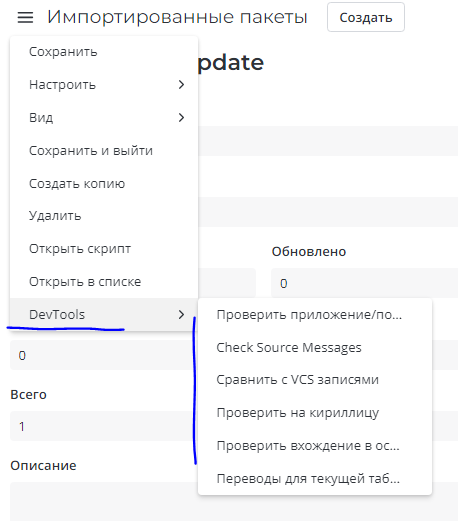
Кнопки девтулза перенесены в бургер меню в соответствующую родительскую кнопку
Интеграция с GIT , в модальном окне выбрать к какому продукту относится соп файл и нажать кнопку сравнения , виджет сравнивает код из сопки с дев веткой , при присутствии отличий выдает ссылку на превью лог записи с скриптом
Кнопки Translations for Local Pack и Translations for Retrieved Pack предупреждают о наличии в пакете переводов без пары, переводов для несуществующей целевой записи, переводов с лишними пробелами, английских переводов с кириллицей.
Кнопка проверки наличия записей сабтаски в смёрженной сопке
Кнопка проверки приложения и политики записей подгруженных пакетов
Кнопка (доступна вендору) для создания, настройки и выгрузки пакета при исключениях в процессе импорта Импортированного пакета. Например, при отсутствии приложения или таблиц на инстансе. Можно через локалку править политики сопок SAFe Simple и т.п.
Кнопка смены статуса sys_vcs_preview_log на связанном списке Импортированного пакета. Статус меняется с “Коллизия” на “Норма”. Можно сменить статус у выбранных записей. Если записи не выбраны, статус поменяется у всех записей, связанных с пакетом.
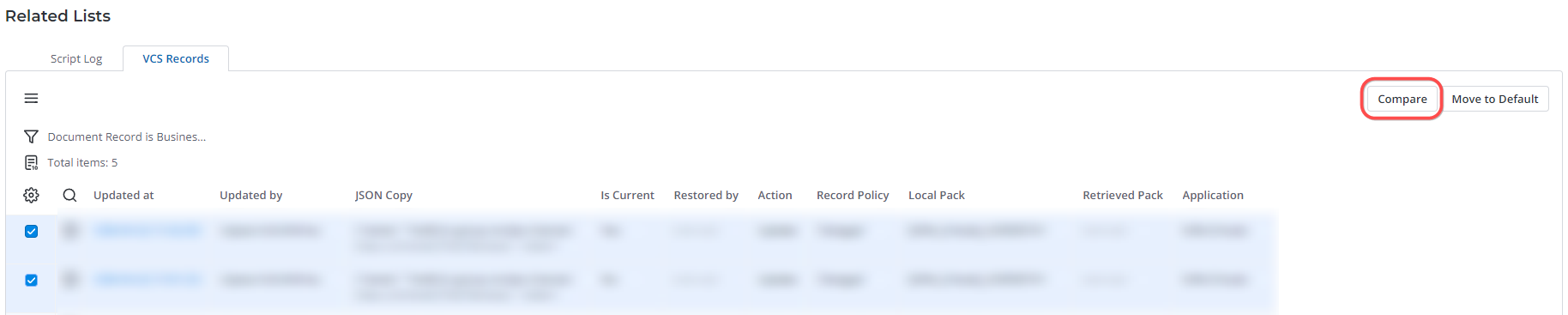
Кнопка сравнения двух подгруженных пакетов (выводит только отличные записи + кол-во записей)
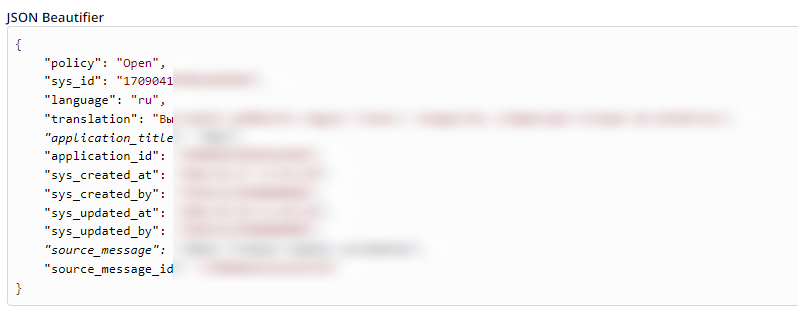
Оформление кода в JSON Beautifier, нумерация строк , возможность выделить скрипт через Ctrl+A.
Кнопка копировать скрипт на в JSON Beautifier на каждом элементе с кодом
JSON Beautifier
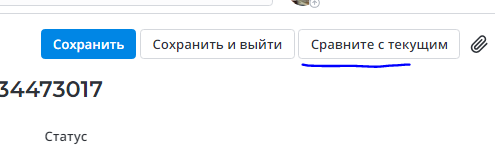
JSON Comparer
В JSON Beautifier добавляются названия таблиц, колонок, виджетов
Кнопка Choices for Retrieved Pack на импортированном пакете - отображает все choice опции в пакете
Кнопка Translations for Retrieved Pack на импортированном пакете - отображает все переводы в пакете
Кнопка Translations for Current Table в бургер меню - отображает все переводы к колонкам текущей таблицы
Кнопка Choices for Local Pack на локальном пакете - отображает все choice опции из локального пакета
Кнопка Translations for Local Pack на локальном пакете - отображает все переводы из локального пакета
Кнопка Check Source Messages на импортированных пакетах - проверка на наличие некорректных исходных сообщений (source_message) в импортируемых пакетах. Проверяется: наличие пробелов в начале и в конце сообщения, наличие кириллицы, наличие корректного префикса приложения в сообщениях.